How-to
How to import transactions
Pledger.io can import transactions from CSV files, for example a transaction export from your bank. During the import the CSV columns are mapped to transaction fields, and your transaction rules can be applied automatically.
Import configurations
An import configuration contains the settings and column mappings needed to read a CSV file from a specific bank. Configurations are reusable, so you only have to set up the mapping once per bank or file format.
Ready-made configurations for several banks are maintained in the
importer-configurations repository.
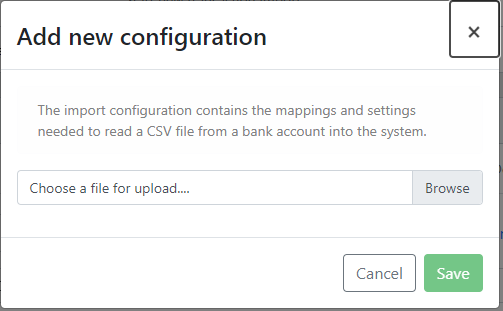
You can also create your own configuration while starting an import by clicking Add new configuration.
Starting an import
Open Transactions in the left navigation and choose Start import.
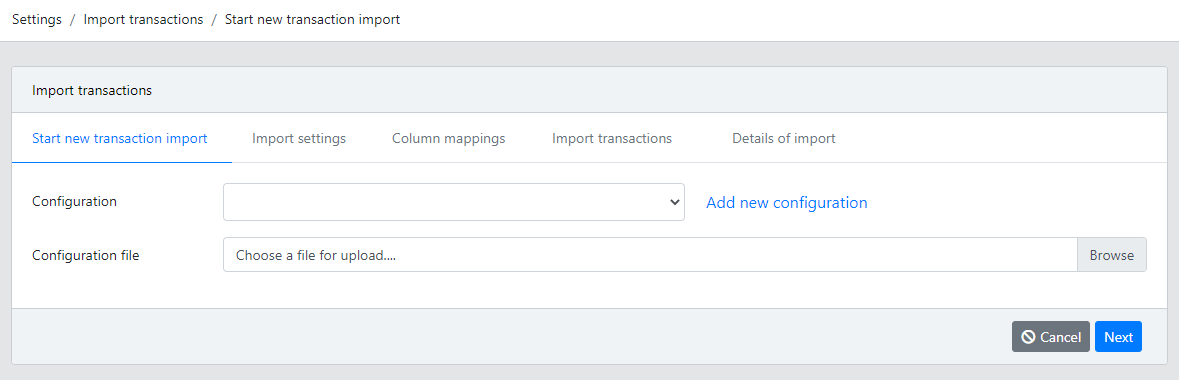
- Select the
Configurationthat matches your bank’s CSV format. - Upload the CSV file containing your transactions.
- Click
Nextto start the import.
Configuring the import
After the file is uploaded, Pledger.io analyzes it and may ask you to confirm the import settings.
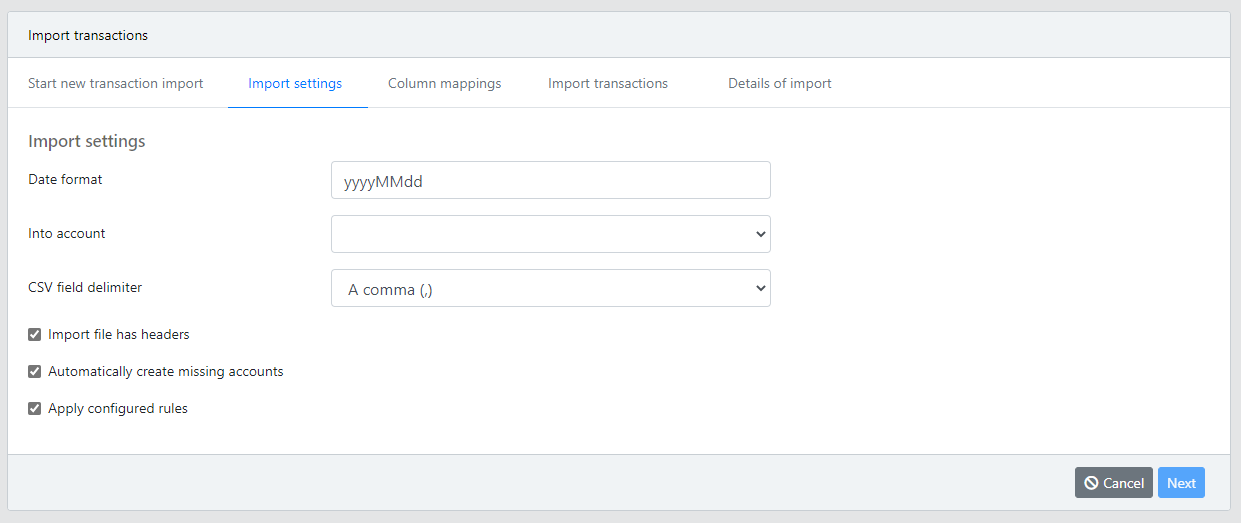
Date format, the format used for dates in the file, for exampleyyyyMMdd.Into account, your own account the transactions are booked on.CSV field delimiter, either a comma (,) or a semicolon (;).Import file has headers, enable when the first row contains column names instead of a transaction.Automatically create missing accounts, creates opposing accounts that do not exist yet.Apply configured rules, runs your transaction rules on the imported transactions.
Column mappings
Each column in the CSV file is assigned a role, telling Pledger.io what the column contains.
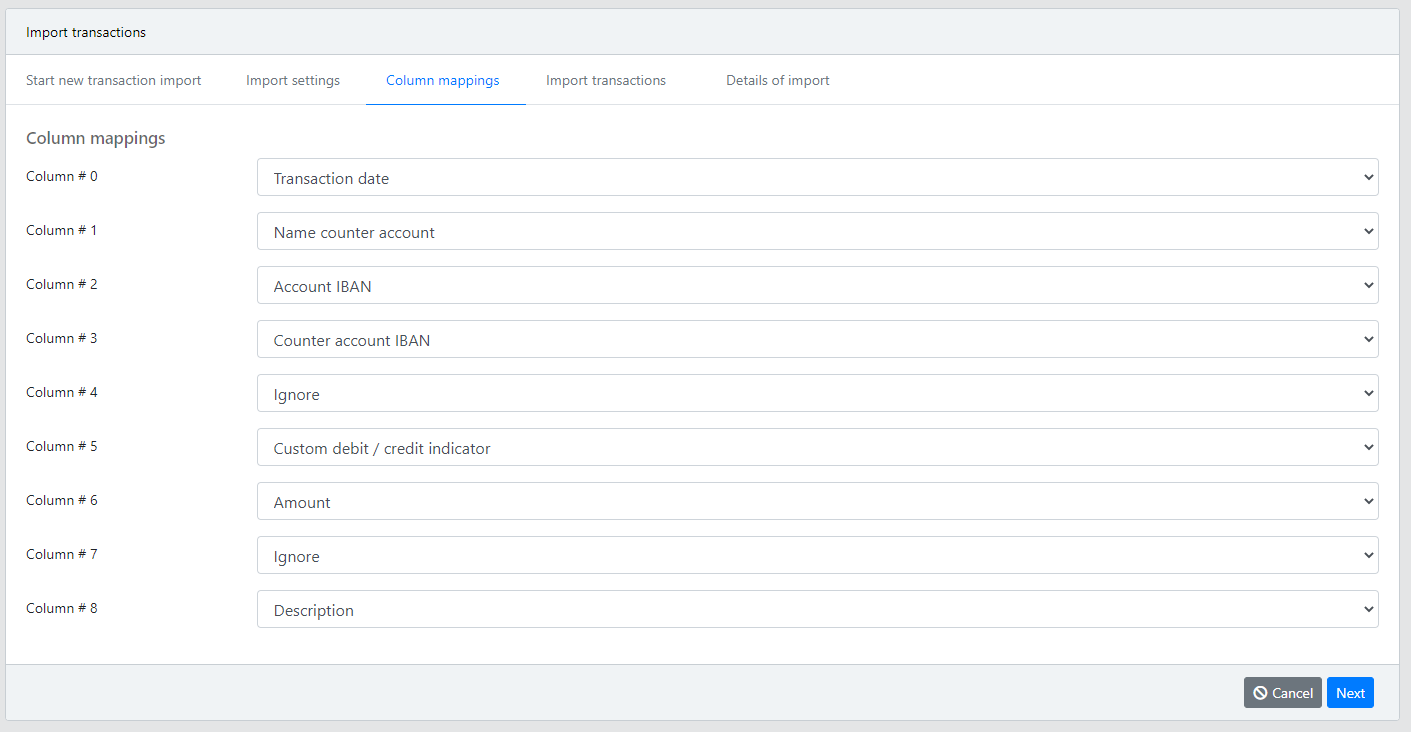
The available roles are:
Transaction date, the date the transaction took place.Booking dateandInterest date, alternative dates recorded by the bank.Name counter account, the name of the opposing account, for example a shop or employer.Counter account IBAN, the IBAN or number of the opposing account.Account IBAN, the IBAN or number of your own account.Amount, the transaction amount.Custom debit / credit indicator, a column that tells whether the amount is a debit or credit.Description, the transaction description.Ignore, for columns that should not be imported.
Mapping accounts
When the file contains account names or IBANs that Pledger.io does not know yet, you are asked to map them to existing accounts.
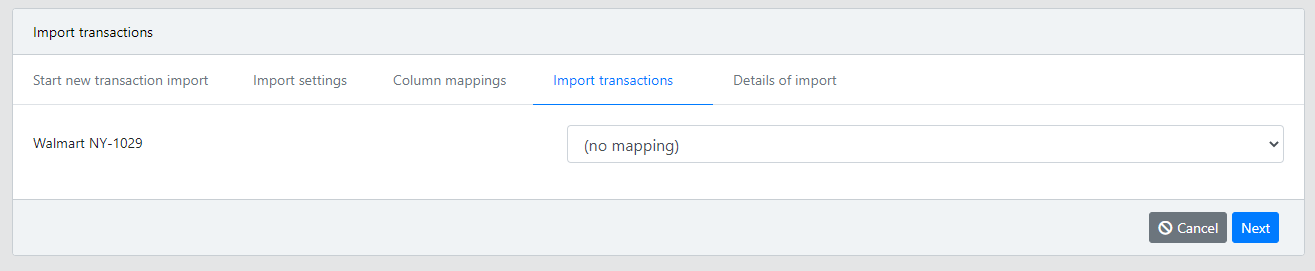
Choose an existing account for each unknown name, or leave the mapping empty to have the account created automatically when Automatically create missing accounts is enabled.
Reviewing the result
When the import finishes, the result page shows a summary with the number of transactions and their totals, followed by the list of imported transactions.
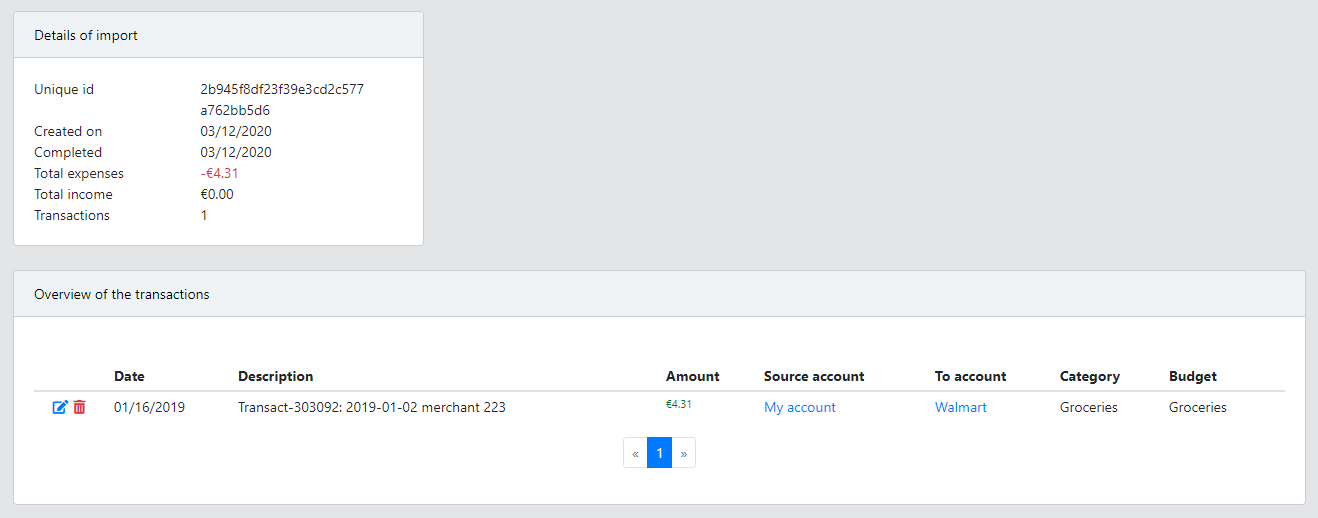
All previous imports are listed under Transactions → Import overview. An unfinished import can be continued from this overview at a later time.