How-to
How to manage your budgets
After a while of creating transactions you may find the same type of transaction always recurring. Or alternatively you may want to reduce spending on certain type of transactions, or at the very least keep track that the spending does not increase dramatically.
These type of transactions can be grouped together in budgets, as they are recurring costs. For each budget you can allocate a specific amount of money every month. Pledger.io will then keep track of your expected and the actual expenses.
Getting started with budgets
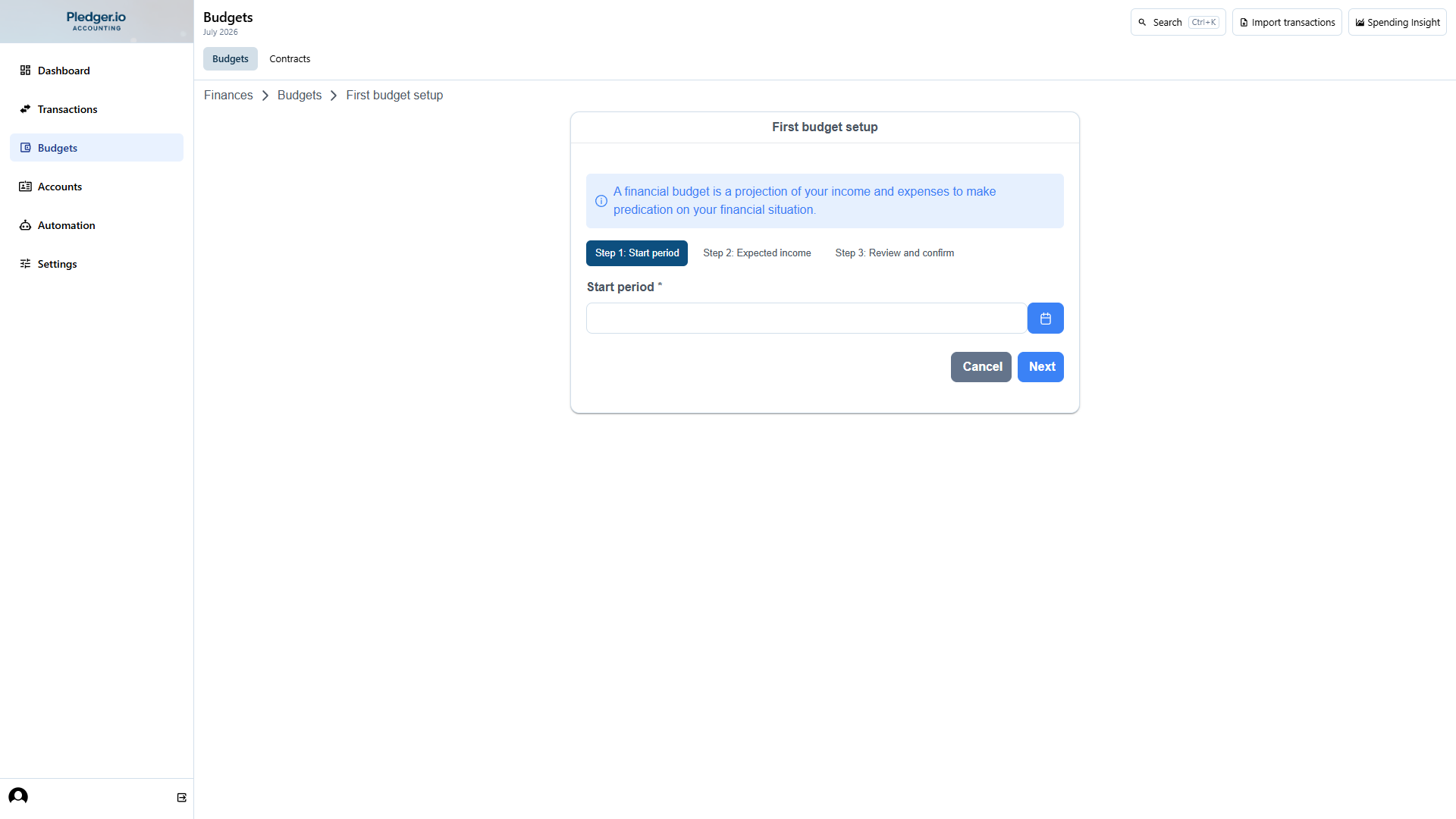
Upon visiting the budget overview page for the first time you will be asked to create your first budget. The setup flow is a short wizard:
- Choose the month and year where budgeting starts.
- Enter your expected monthly net income.
- Review and confirm.
To do this you need to provide the month and year that the budget should begin, and your expected monthly net income. The net income is the amount of money your employer deposits in your bank account.
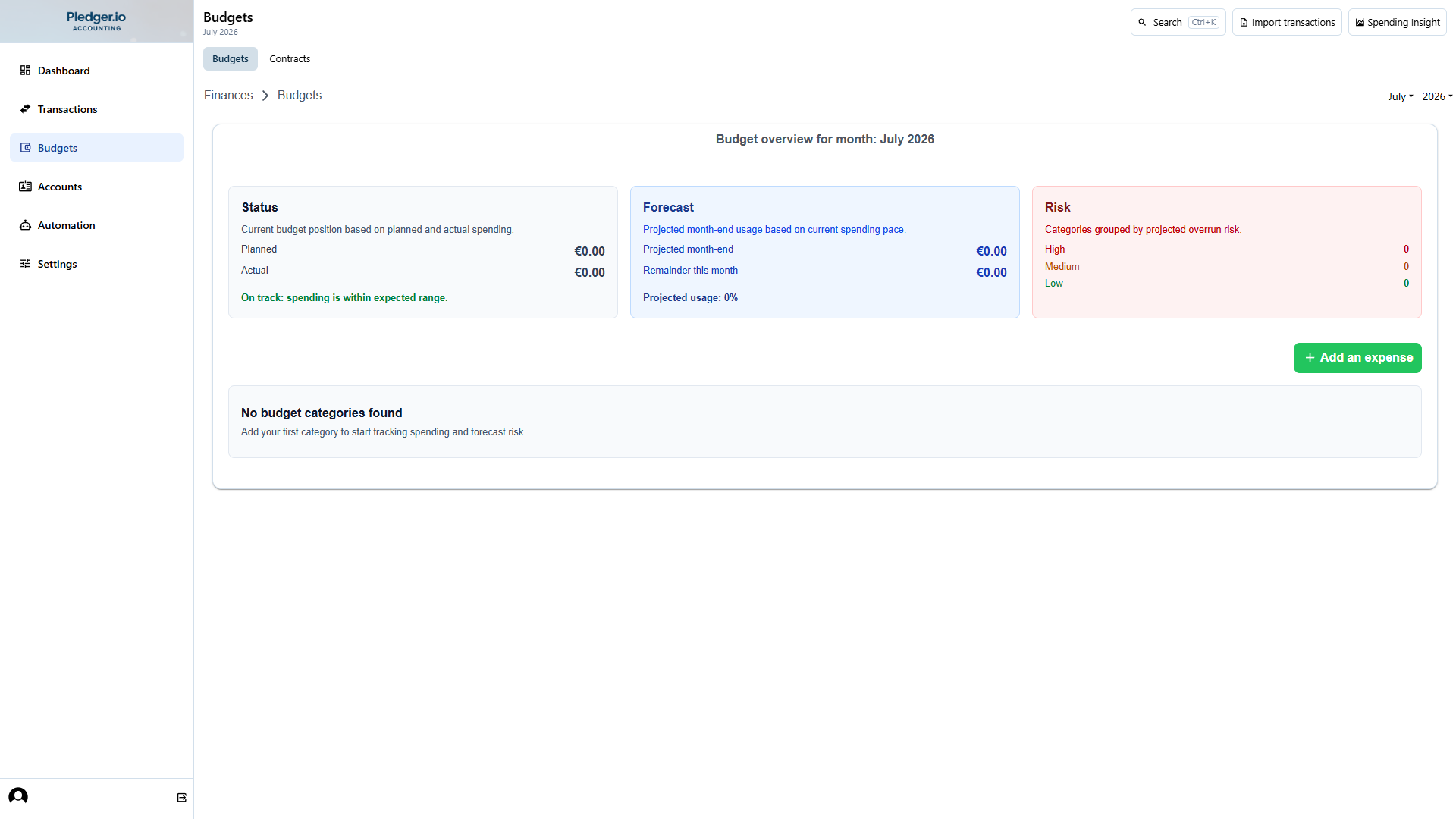
Once a budget exists you will see the budget overview. This is a monthly overview with status, forecast, and risk indicators per expense group.
Use the month/year selector to review past months and switch context. Pledger.io keeps budget details in sync with the selected month, including recommendation actions.
Adding expenses to a budget
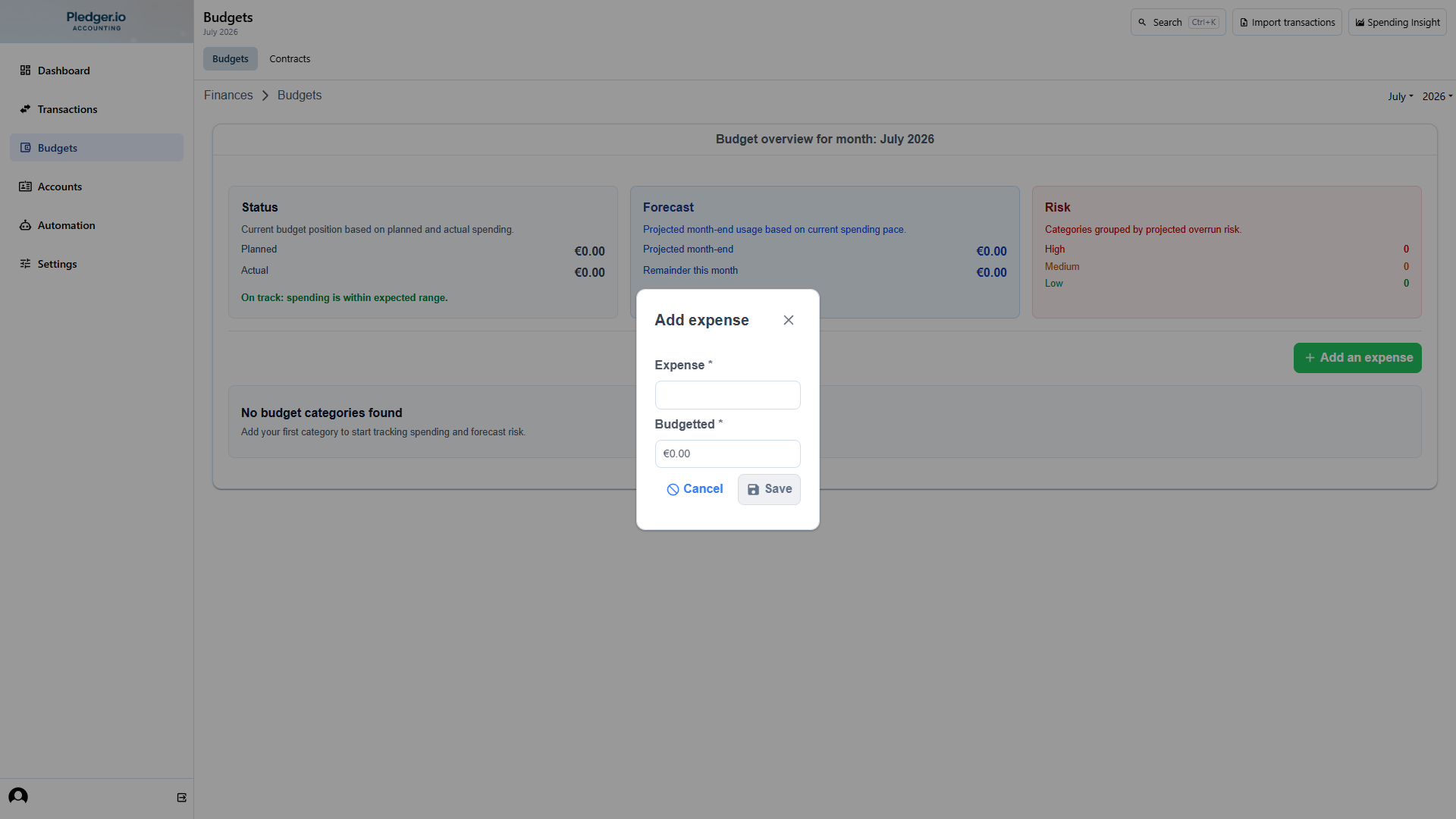
To start adding a new expected expense click the Add an expense button.
An expected expense is a label surrounding transactions.
An example is ‘Bills’ or ‘Groceries’.
In the Add expense form you need to provide the label for the expected expense, and a lower and upper bound.
During the year you may notice that your expense habits or income has changed. Once this happens you should update your budget to reflect the changes.
Corrective actions and follow-up
Each budget category shows a recommendation based on projected month-end usage. Depending on risk level, you can:
- Edit planned values for the category (when the budget period is still open).
- Open the matching transaction list for deeper analysis.
This helps you move from budget monitoring to direct corrective action in one flow.